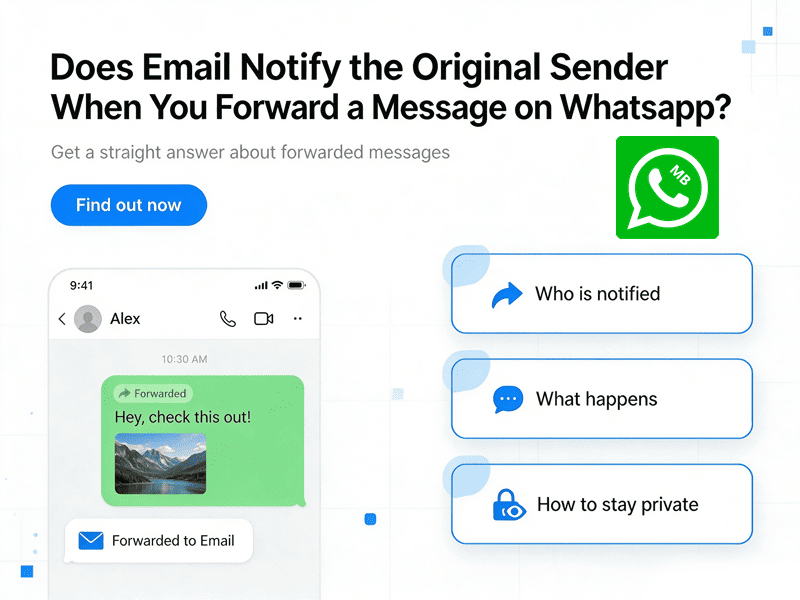
The short answer is no.
When you forward a WhatsApp message to your email, WhatsApp does not notify the person who originally sent the message. Likewise, most email services do not send any notification to let someone know that their message has been forwarded.
That said, there are a few situations where privacy, company email systems, or shared accounts can complicate matters. Understanding how message forwarding works can help you avoid misunderstandings and protect your own privacy.
When You Forward an Email Does the Sender Know
No.
WhatsApp currently does not send any notification when you export, share, or forward messages to an email address.
When you tap the Forward button inside WhatsApp and select a contact or group:
- The original sender receives zero notifications. No push alert, no “Your message was forwarded,” no timestamp change. They remain completely unaware.
- The recipient sees a small gray “Forwarded” label above the message bubble. This tells them the message wasn’t originally written by you, but it gives no clue about who wrote it first.
- If the message has been forwarded more than five times, WhatsApp adds a double‑arrow icon and restricts further forwarding to only one chat at a time. This is part of WhatsApp’s effort to fight misinformation—but again, the original sender isn’t told.
Why Doesn’t WhatsApp Notify When Forward To Email
WhatsApp uses end‑to‑end encryption. The company does not have access to the content of your messages and does not build features that track forwarding behavior. Privacy is a core selling point.
The Only Exception: View‑Once Media
If someone sends you a view‑once photo or video, you generally cannot forward it at all. WhatsApp blocks the forward option. But that’s about media privacy, not forwarding per se.
Sharing a WhatsApp Message to Email – Does It Trigger Anything
Users often email WhatsApp conversations using the “Share” or “Export Chat” tool. This helps keep records of business chats or save special messages.
Can the original sender see this?
No. Emailing a chat is just like copying and pasting the text. WhatsApp simply moves the data to your email app without telling the other person. They won’t get a notification or have any way to track where the message went.
Important Reminder
While the sender won’t know, it is still important to respect their privacy. Forwarding private or sensitive details can break someone’s trust. Before sharing, think about whether the other person would be comfortable with their words being emailed elsewhere.
Forwarding Email Messages – Does the Original Sender Know
When you forward an email, whether from Gmail, Outlook, Apple Mail, etc:
- The original sender is NOT automatically copied or notified. Your forward creates a brand‑new email. Unless you manually add the original sender to the To, CC, or BCC fields, they never see it.
- There is no built‑in “forward receipt” in standard email protocols SMTP, IMAP, POP3.
Are There Any Exceptions
Although ordinary email forwarding is private, there are a few exceptions.
Company Email Systems
Businesses sometimes use advanced security software. For example, a company may:
- Monitor outgoing emails
- Track attachments
- Prevent confidential information from leaving the organization
- Flag sensitive documents
These systems monitor employees—not the original sender. The sender still isn’t notified that their email has been forwarded.
Shared Mailboxes
Suppose several employees share one inbox. If someone forwards a message, other team members may see it in the mailbox history. Again, this is different from notifying the original sender.
Email Tracking Tools
Some businesses install email tracking software. These tools may record:
- Opens
- Clicks
- Delivery status
However, they usually cannot tell the sender that you forwarded the email unless the forwarding process itself leaves visible evidence, such as additional recipients in a reply chain.
How to Reply to a Forwarded Email
A: Reply Only to the Person Who Forwarded It
- Click Reply. Your response goes only to the forwarder.
- Good for: “Thanks for sharing this,” or asking a question about the context.
B: Reply Directly to the Original Sender
- You want to contact the original author without involving the forwarder.
- Do not hit Reply. Instead, compose a new email to the original sender’s address. Or click Forward again and change the recipient.
- Add a brief note: “I received this via [forwarder’s name] and wanted to follow up.” This prevents confusion.
C: Reply to Both
- Only use “Reply All” on a forwarded email if the person who originally sent it is listed in the “To” or “CC” fields. In most forwards, the original sender is only mentioned in the text of the message, not as an actual recipient. If you click “Reply All,” your response will go to the person who forwarded the email but might miss the person who wrote the original message.
- Safer approach: manually add both addresses to a new email.
How to remove the forwarding flag on WhatsApp
In the official WhatsApp app, the only way to hide the “forwarded” label is to manually copy and paste the message.
Alternatively, you can use the MB WhatsApp APP. This is a modified version of the app that includes extra features, such as automatically removing the “forwarded” tag when you share messages.
Ideal for users who want to forward in bulk without displaying a forwarding flag.
Final Thoughts
If your main concern is “Does email notify the original sender when you forward a message on WhatsApp?”, you can feel confident with the answer: No.
However, once you choose to forward to email, the message becomes part of the email system. At that point, it is handled according to your email provider’s security and storage policies rather than WhatsApp’s encryption.
That’s why it’s a good idea to think carefully before forwarding sensitive conversations, especially if they contain personal information, financial details, or confidential business discussions.