Sometimes you want to share a status update but not with everyone. Whether it’s for privacy, personal boundaries, or just selective sharing, learning how to control visibility is essential.
In this guide, you’ll learn exactly how to hide status contacts, use WhatsApp status privacy settings, and unlock advanced control with MB WhatsApp.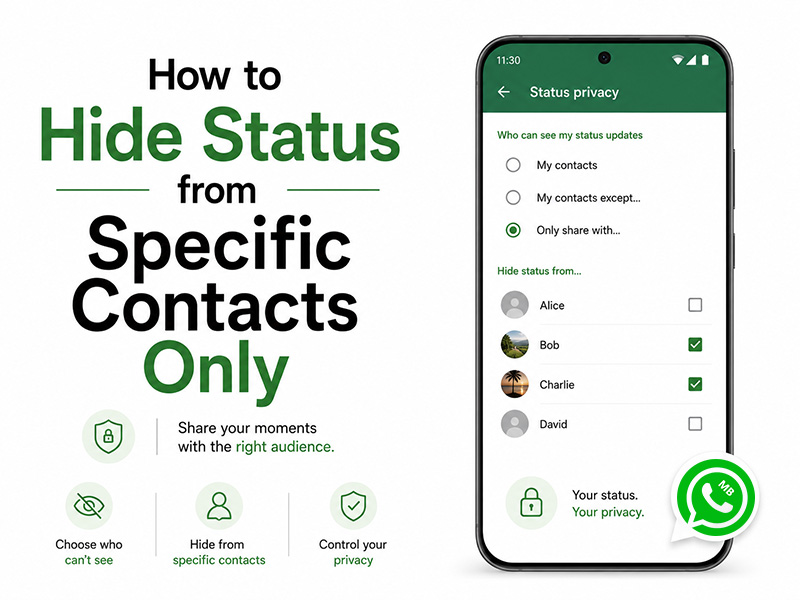
Why Selective Status Hiding Matters in 2026
Your WhatsApp status is a window into your life, but not everyone needs the same view. Here’s why selective hiding is essential:
- Personal Boundaries:Share casual updates with friends without family seeing late-night posts
- Professional Discretion:Keep work contacts from viewing non-work related content
- Relationship Privacy:Hide sensitive updates from specific individuals without blocking them
- Peace of Mind:Post freely knowing only your intended audience will see your content
Method 1: Use WhatsApp Status Privacy Settings
The easiest way to control who sees your status is through the built-in whatsapp status privacy settings.
Step-by-Step:
- Open WhatsApp
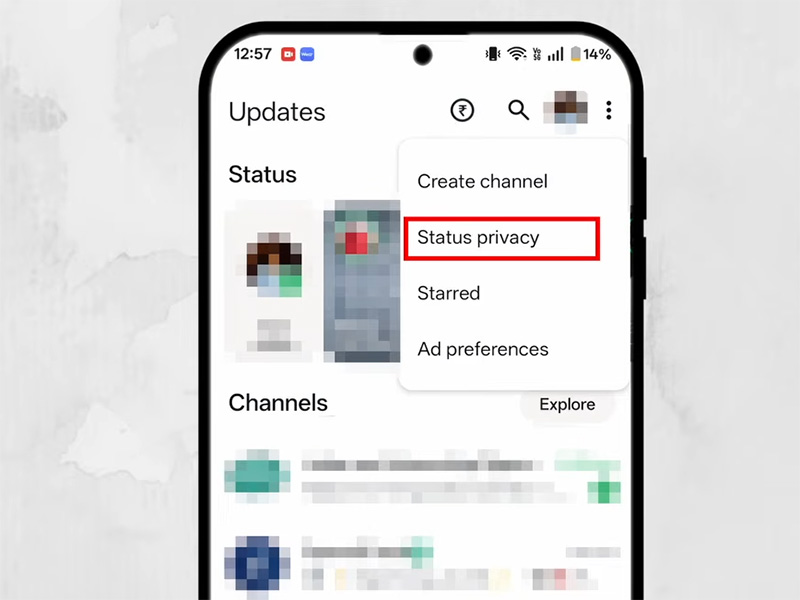
- Go to the Status tab
- Tap the three dots menu
- Select Status Privacy
- Choose one of the following options:
Privacy Options Explained:
- My Contacts→ Everyone in your contacts can see your status
- My Contacts Except…→ Hide status from selected people
- Only Share With…→ Show status to specific contacts only
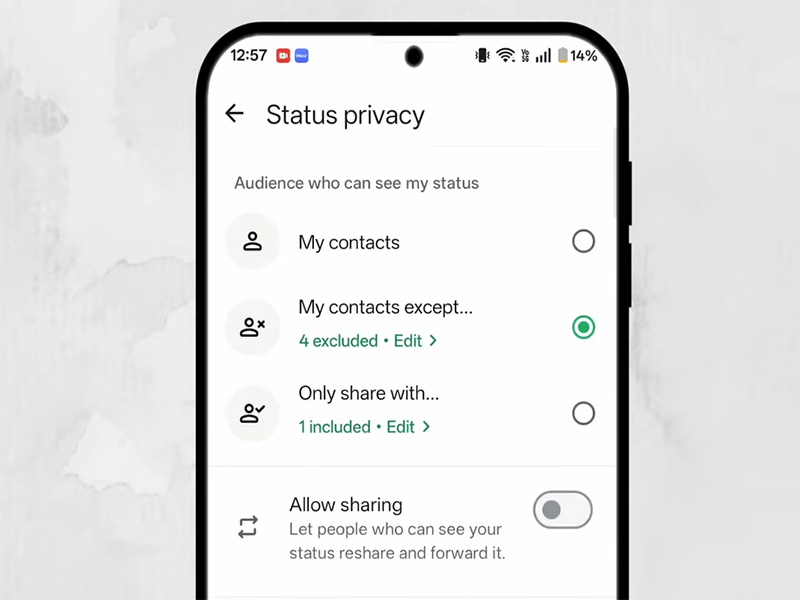
To hide status contacts, select “My Contacts Except…” and choose the people you want to exclude.
Method 2: Hide Status from One Person Only
If you’re wondering how to hide your status from just one individual:
- Go to Status Privacy
- Tap My Contacts Except…
- Select that specific contact
- Save changes
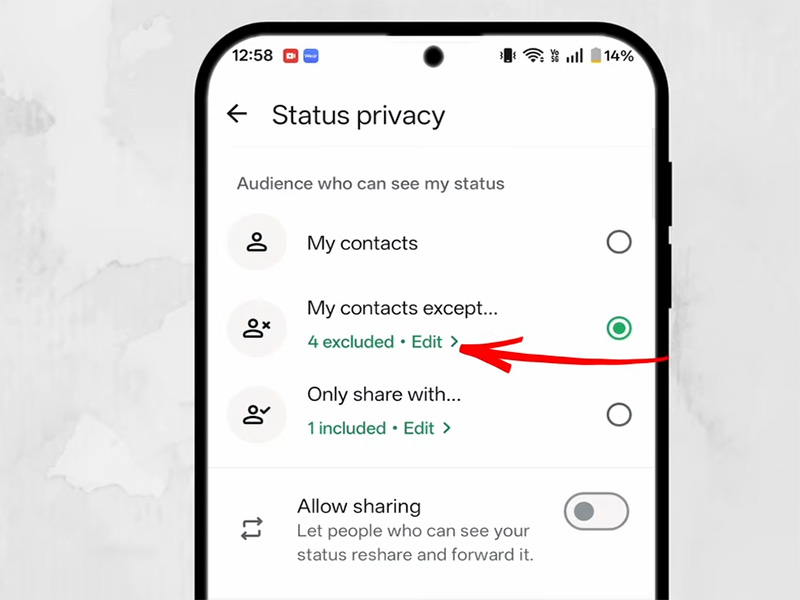
That person will no longer see your updates but they won’t be notified.
What Happens When You Hide Your Status?
- The selected contact won’t see your status updates
- They won’t be notified that you hid it
- You can still see their status (unless they hide theirs from you)
- You can change settings anytime
Limitations of Official WhatsApp
While WhatsApp offers solid privacy tools, it has some limitations:
- No advanced scheduling for status visibility
- No automation for different audiences
- Limited customization of privacy rules
Advanced Control with MB WhatsApp
The mb whatsapp hide status feature gives you more flexibility and deeper control compared to the official app.
Key Benefits in MB WhatsApp 2026:
- Individual Status-Level Exclusion
- Hide specific status updates from individual contacts, no need to apply a universal exclusion list
- Perfect for one-off posts you don’t want certain people to see
- Permanent vs. Temporary Exclusions
- Create permanent exclusion lists for contacts you never want to see your status
- Set temporary exclusions that automatically expire after 24 hours, 7 days, or a custom duration
- Great for vacation photos you want to hide from colleagues until you’re back at work
- Stealth Mode for Status Views
- Hide your name from the “Who Viewed” list of other people’s statuses
- View statuses anonymously without the poster knowing you’ve seen them
- Status Privacy Profiles
- Save multiple privacy configurations and switch between them with one tap
- Each profile can have its own exclusion list, making it easy to adapt your privacy settings to different situations
- Anti-Status Screenshot Protection
- Prevent contacts from taking screenshots of your status updates
- Adds an extra layer of privacy for sensitive content
With mb whatsapp 2026, users get a more powerful privacy system designed for modern messaging needs.
How to Use MB WhatsApp Hide Status Feature
Once you install the mb whatsapp apk latest version, follow these steps:
- Open MB WhatsApp
- Go to Privacy Settings
- Tap Status Settings
- Select Custom Privacy
- Choose:
- Contacts to hide from
- Contacts allowed to view
- Save your preferences
This gives you more granular control than standard WhatsApp.
MB WhatsApp Download: What to Know
If you’re considering installing MB WhatsApp:
- It’s an unofficial modded app
- Not available on Google Play Store
- Requires manual APK installation
- Always download the mb whatsapp apk latest version from trusted sources
- Back up your chats before installing
Tips for Better Status Privacy
To make the most of your privacy settings:
- Regularly review your contact list
- Use “Only Share With…” for important updates
- Avoid oversharing sensitive content
- Combine status privacy with last seen & online controls
Troubleshooting Common Status Hiding Issues
- Contacts Still Seeing My Status:
- Double-check your Status privacy settings, ensure the contact is on the “My contacts except…” list
- Ask the contact to refresh their WhatsApp (pull down on the Status tab) to see the updated privacy settings
- Verify the contact hasn’t saved your number under a different name
- MB WhatsApp Hide Status Feature Not Working:
- Ensure you’re using the mb whatsapp apk latest version
- Check if you’ve enabled “Stealth Mode” for individual statuses, this might override your global settings
- Restart the app and clear cache if the settings aren’t applying
- Status Views Not Showing Correctly:
- In official WhatsApp: Status views update in real-time but may take a few minutes to appear
- In MB WhatsApp: If you’ve enabled “Stealth Mode,” your views won’t appear on other people’s statuses
Final Thoughts
Managing your privacy doesn’t have to be complicated. With built-in whatsapp status privacy settings, you can easily hide status contacts and control your audience.
For users who want even more flexibility, mb whatsapp 2026 introduces advanced tools like the mb whatsapp hide status feature, making selective sharing more powerful than ever.
By using these methods, you can confidently share updates only with the people who matter.