If you’ve ever needed to send a quick message to a delivery driver, a one-time client, or a secondhand seller, you’ve probably run into a common frustration: official WhatsApp forces you to save a phone number to your contacts before you can start a chat. Cluttering your address book with temporary numbers is inconvenient, and for privacy reasons, many people prefer not to save random contacts at all. If you’re wondering how to text someone on whatsapp without adding them first, there are simple, official ways to start a conversation directly; plus even faster tools built into modified WhatsApp clients.
This guide breaks down the standard whatsapp open chat method, explains how whatsapp direct message tools work, and answers the frequent question: can whatsapp text any number in the world?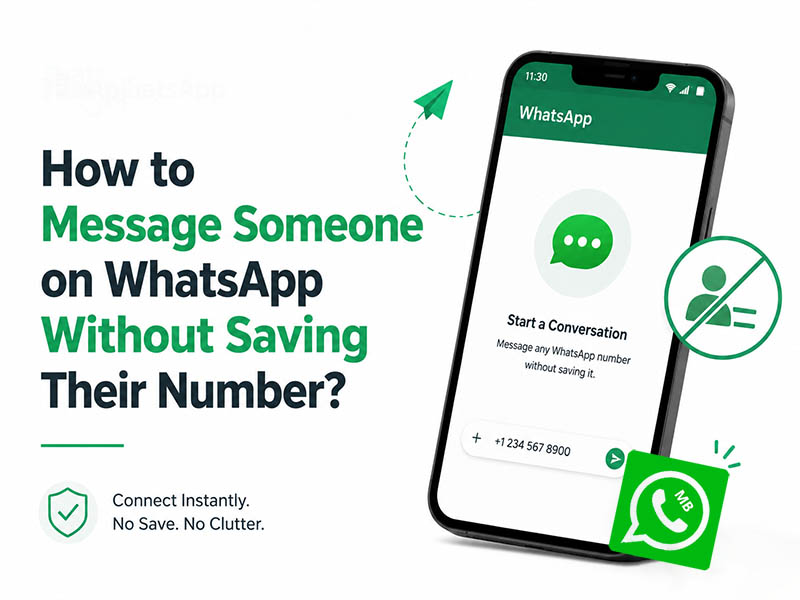
Why Message Someone Without Saving Their Number
There are plenty of everyday scenarios where saving a contact is unnecessary and impractical:
- Reaching out to delivery riders, service workers, or temporary customer support contacts
- Messaging a seller or buyer from a marketplace listing for a one-time transaction
- Following up with a business contact you met briefly at an event
- Sending a quick one-off message to someone you don’t plan to contact regularly
- Keeping your personal contact list clean and free of temporary, unused numbers
For all these cases, starting a chat directly without saving the number saves time and keeps your address book organized.
Official Method: Use the WhatsApp Open Chat Link
The official, universally compatible way to message an unsaved number is through WhatsApp’s public whatsapp open chat link system. This web-based tool lets you launch a chat with any registered WhatsApp number directly from your browser, no contact save required. It works on Android, iPhone, and desktop, and needs no extra apps or downloads.
Step-by-step guide
- Open any mobile or desktop browser on your device.
- Please enter the official WhatsApp website URL, then enter the recipient’s full phone number (in international format)..
- Remove all leading zeros, plus signs, spaces, and brackets from the number.
- Always include the country code at the start. For example, a US number +1 (555) 123-4567 becomes 15551234567.
- Load the page, then tap the Continue to Chat button.
- You will be redirected straight to a WhatsApp chat window with the number. You can type and send your message immediately.
This method is the simplest way to send a whatsapp direct message for occasional use. It requires no setup, and it works with every version of official WhatsApp.
Faster Alternative: MB WhatsApp Built-In Direct Message Tool
If you regularly message unsaved numbers for work or personal use, manually typing the wa.me link every time gets tedious. MB WhatsApp solves this with a native whatsapp direct message feature built directly into the app, so you never have to leave the chat interface or remember the URL format.
1. How to use MB WhatsApp‘s direct message function
- Open MB WhatsApp and tap the three-dot menu in the top-right corner.
- Select Direct Message from the dropdown menu.
- Choose the correct country code, then enter the recipient’s phone number.
- Tap Open Chat to launch a new conversation instantly.
2. Key advantages over the official link method
- No browser switching required; everything happens inside the WhatsApp app
- Auto-saves recently used numbers, so you don’t have to retype numbers you message again
- Built-in country code selector eliminates formatting mistakes
- Works alongside all other MB WhatsApp privacy and customization features
For the most stable experience with this tool, you can obtain the latest MB WhatsApp APK from our website.
Can WhatsApp Text Any Number? Key Facts & Limitations
One of the most common questions from new users is: can whatsapp text any number, even if you don’t have it saved? The short answer is yes, but with a few important caveats. If you are concerned about potential fees when messaging overseas unsaved contacts, check our full breakdown: MB WhatsApp for Texting Internationally: Is It Really Free to clarify all costs of cross-border WhatsApp chats.
- It only works with registered WhatsApp accounts. You can send a message to any registered WhatsApp number, anywhere in the world. If the number is not registered on WhatsApp, the chat will not open.
- No SMS support. WhatsApp cannot send traditional text messages to regular phone numbers. All messages go through WhatsApp’s internet-based system, so the recipient must have the app installed.
- International numbers work fully. As long as you use the correct country code, you can message numbers in any country with no extra per-message fees. All messages use Wi-Fi or mobile data, just like regular WhatsApp chats.
- The recipient does not need to have your number saved. Your message will arrive in their chat requests folder, and they can choose to reply or ignore it.
In short: you can message any WhatsApp-registered number without saving it, but you cannot use WhatsApp as a general SMS tool for non-WhatsApp numbers.
Best Practices for Messaging Unsaved Numbers
To get better response rates and avoid being marked as spam, follow these simple etiquette rules:
- Always introduce yourself and state your purpose in the very first message. Recipients are far more likely to reply if they know who you are and why you’re messaging.
- Keep the first message short and clear. Long opening messages from unknown numbers are often ignored.
- Do not send repeated messages if you don’t get a reply. Excessive unsolicited messages can lead to your account being reported and restricted.
- For business messages, include your company name and a clear call to action to build trust.
- Avoid sending promotional or marketing content to numbers you have not been given permission to contact.
Troubleshooting Common Issues
If your whatsapp open chat link or direct message isn’t working, these fixes resolve most problems:
- “Invalid number” error: Double-check the number format. Remove all plus signs, spaces, dashes, and brackets, and confirm you have the correct country code.
- Chat won’t open: Make sure the recipient has an active WhatsApp account. If the number is new, it may take a short time to register on the system.
- MB WhatsApp direct message not loading: Update to the latest official version of the app, and clear temporary app cache if needed.
- Message not delivered: Check your internet connection. If the issue persists, the recipient may have blocked your number or deactivated their account.
Final Thoughts
Learning how to text someone on whatsapp without saving their number is a small but useful skill that saves time and keeps your contact list tidy. For occasional use, the official whatsapp open chat link is simple and works on every device. For anyone who sends frequent one-off messages, MB WhatsApp’s built-in whatsapp direct message tool is a faster, more convenient upgrade.
And to answer the core question once more: can whatsapp text any number? It can reach any active WhatsApp account in the world, as long as you use the correct international number format; no contact save required. Whether you use the official method or the upgraded MB WhatsApp experience, you can handle all your temporary messaging needs without cluttering your phone’s address book.