Have you ever received a message, only to see “This message was deleted” a few moments later? Or noticed that a status update disappeared before you had a chance to view it? These situations can be frustrating, especially when important information is involved.
Fortunately, some messaging app modifications offer features that help preserve deleted content. In this guide, you’ll learn how anti revoke messages WhatsApp features work, how to view deleted WhatsApp messages, and how to enable the anti revoke status feature in MB WhatsApp.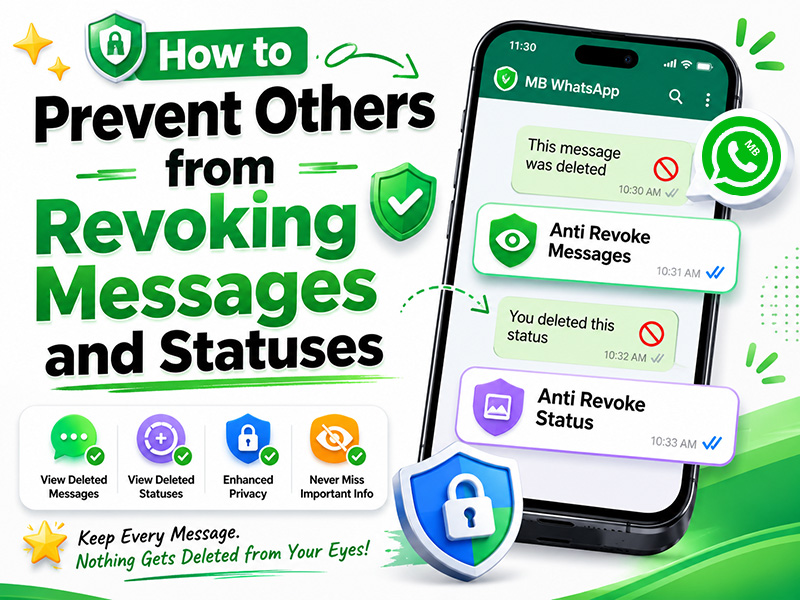
Why Anti-Revoke Matters in 2026
Message revocation can be problematic for several reasons:
- Missed Information: Critical details in work messages, event plans, or urgent updates vanish without a trace
- Suspicious Behavior: Revoked messages may indicate someone is hiding something or second-guessing their words
- Status Disappointment: Interesting or important status updates disappear before you can view them
- Evidence Loss: You lose potential proof of conversations in disputes or misunderstandings
Official WhatsApp gives senders full control to delete messages for everyone within 60 minutes, but mb whatsapp anti revoke flips this power dynamic—letting you decide what content stays visible on your device.
MB WhatsApp 2026 – The Ultimate Anti-Revoke Solution
mb whatsapp 2026 offers the most comprehensive anti revoke messages WhatsApp and anti revoke status feature available in 2026. Unlike third-party apps, it works seamlessly within the messaging interface and doesn’t require extra permissions.
Step 1: Download & Install MB WhatsApp APK Latest Version
- Uninstall Old Versions: Remove any previous MB WhatsApp or modded WhatsApp apps to prevent conflicts
- Enable Unknown Sources:
- Android 10+: Settings → Apps & Notifications → Special App Access → Install Unknown Apps → Enable for your browser
- Android 9 or below: Settings → Security → Toggle “Unknown Sources” ON
- Download Safely: Visit our websiteand download the mb whatsapp apk latest version
- Scan for Malware: Use CM Security or McAfee to verify the APK is free of viruses
- Install & Verify: Open the APK, follow installation prompts, and verify your phone number
Step 2: Enable MB WhatsApp Anti Revoke for Messages and Statuses
The mb whatsapp anti revoke feature is split into two parts: messages and statuses; giving you granular control:
- Open MB WhatsApp and tap the three vertical dots in the top-right corner
- Select MB Settings → Privacy & Security
- Anti-Revoke Messages: Toggle this ON to view deleted WhatsApp messages even after senders delete them for everyone
- Anti-Revoke Status: Toggle this ON to enable the anti revoke status feature. You’ll see statuses even after they’re removed by the creator
- Optional: Enable Show Deleted Message Tag to see a small label indicating when a message was deleted
- Tap Save to apply settings
How MB WhatsApp Anti Revoke Works
Once enabled, mb whatsapp anti revoke works in the background:
- When someone deletes a message for everyone, it remains visible in your chat with a “Deleted by sender” tag
- Removed status updates stay in your status feed until they would normally expire
- You can still reply to revoked messages and interact with revoked statuses as usual
- The feature works for both individual chats and group conversations
Official WhatsApp Workarounds
Official WhatsApp doesn’t offer true anti revoke messages WhatsApp features, but these tricks can help preserve content:
- Quote & Reply Immediately: If you quote a message before it’s revoked, the quoted text remains visible even after deletion
- Take Screenshots: Capture important messages or statuses as soon as you see them
- Backup Frequently: Use WhatsApp’s built-in backup to save messages before they’re deleted
- Turn Off Mobile Data/Wi-Fi: When you suspect someone might revoke a message, quickly disable internet to prevent the deletion command from reaching your device
These methods are unreliable and require quick reflexes. They’re no match for mb whatsapp anti revoke’s automatic protection.
MB WhatsApp 2026 vs. Official WhatsApp: Anti-Revoke Comparison
| Feature | Official WhatsApp | MB WhatsApp 2026 |
| Anti-Revoke Messages | No built-in feature | Automatic, seamless |
| Anti-Revoke Status Feature | Statuses disappear when deleted | Full support |
| Media Recovery | Media is deleted permanently | Media remains in chat |
| Ease of Use | Only workarounds available | Toggle in settings |
| Privacy | No extra permissions | Maintains end-to-end encryption |
| Reliability | Workarounds often fail | 100% effective |
| Anti-Ban Protection | Official app | Built-in stealth mode |
Best Practices for MB WhatsApp Anti Revoke
To maximize effectiveness and stay safe while using mb whatsapp anti revoke:
- Keep the App Updated: Always use the mb whatsapp apk latest version for the most reliable anti-revoke features and anti-ban patches
- Enable Anti-Ban Settings: Go to MB Settings → Anti-Ban Protection → Toggle Stealth Mode and Ban Alerts ON to reduce account suspension risks
- Use Discretion: Don’t confront people about revoked messages unless necessary—this can cause conflicts
- Backup Regularly: Use MB WhatsApp’s encrypted local backup to protect data if you get banned
- Avoid Misuse: Don’t use anti-revoke to harass or blackmail others. This violates privacy laws
- Test the Feature: Send a message to yourself, delete it for everyone, and confirm it remains visible in your chat
Troubleshooting Common MB WhatsApp Anti Revoke Issues
- Anti-Revoke Not Working:
- Ensure you’re using the mb whatsapp apk latest version
- Verify both Anti-Revoke Messages and Anti-Revoke Status are toggled ON
- Restart MB WhatsApp and try again
- Clear MB WhatsApp cache
- Deleted Messages Still Disappear:
- Check if the sender deleted the message before you received it
- Ensure you haven’t disabled notifications for the chat
- Update MB WhatsApp to the latest version to fix known bugs
- Ban Warning After Enabling Anti-Revoke:
- Immediately enable Stealth Mode in MB Settings → Anti-Ban Protection
- Avoid using multiple modded features at once
- Wait 24-48 hours before using the app heavily
- Anti-Revoke Status Feature Not Showing Deleted Statuses:
- Ensure you’re using mb whatsapp 2026which includes this feature
- Check if the status was deleted before you viewed it
- Re-enable the feature in MB Settings → Privacy & Security
Is MB WhatsApp Anti Revoke Safe? Critical Security Notes
While mb whatsapp anti revoke is powerful, remember these key points:
- Modded App Risk: MB WhatsApp violates WhatsApp’s Terms of Service and may result in account bans, even with anti-ban settings
- Data Privacy: Reputable mods like MB WhatsApp 2026 maintain end-to-end encryption, but always verify the APK source
- No Official Support: If you encounter issues, you won’t get help from WhatsApp; rely on MB WhatsApp’s community forums
- Backup First: Always back up chats before installing any modded app to prevent data loss
- Legal Considerations: In some jurisdictions, saving and sharing revoked messages may violate privacy laws
Final Thoughts
Deleted messages and disappearing status updates can sometimes cause confusion or result in missed information. Features such as anti revoke messages WhatsApp protection and the anti revoke status feature help users maintain better visibility over their conversations.
With MB WhatsApp anti revoke enabled, you may be able to view deleted WhatsApp messages, preserve removed status updates, and keep a more complete record of your chats. For the best experience, always use the mb whatsapp apk latest version and review your privacy settings regularly to ensure all protection features remain active.